

Discover how to plan, build, optimise, and grow successful infosites. Learn about content strategy, niche research, website structure, SEO, monetisation, and long-term growth.
Introduction
The internet has transformed how people discover information, learn new skills, compare products, solve problems, and make important decisions. From educational resources and specialist knowledge platforms to industry-focused publications and practical online guides, information websites have become an essential part of the digital landscape. Businesses, entrepreneurs, publishers, and independent creators increasingly recognise the value of developing websites that provide accurate, accessible, and genuinely useful information to clearly defined audiences. An infosite offers an opportunity to establish an online presence, demonstrate subject knowledge, attract relevant visitors, and create a valuable digital resource that can develop over time.
An infosite, commonly understood as an information website, is designed primarily to publish and organise educational, informative, and reference-based content. Unlike a conventional business website that mainly promotes products or services, an information website focuses on answering questions, explaining concepts, providing practical guidance, and helping visitors understand specific subjects. Depending on its purpose, an infosite may include detailed articles, tutorials, research-based resources, comparison guides, frequently asked questions, visual explanations, downloadable materials, and other content formats. A successful platform combines useful information with professional website design, logical navigation, technical reliability, and a sustainable publishing strategy. Its effectiveness depends not simply on the amount of content published but on how well that content addresses genuine audience requirements.
At Monthly Website Design, developing an effective digital presence means understanding how website structure, content quality, user experience, and search engine optimisation work together. Building a successful infosite requires more than choosing a domain name and uploading articles. It involves researching an appropriate niche, understanding user search behaviour, developing a clear content architecture, creating trustworthy resources, and maintaining the platform as audience expectations and industry information change. This comprehensive guide explores the essential stages of planning, developing, optimising, and growing an information website. Whether you are starting a new publishing project, expanding an existing online platform, or creating a specialist knowledge resource for your business, the following sections will help you understand how to build an infosite with long-term value.
Understanding Infosites and Their Importance in the Digital World
An infosite is a website whose primary purpose is to provide visitors with organised, useful, and accessible information about a particular subject, industry, interest, or collection of related topics. It functions as a digital knowledge resource where people can discover explanations, learn practical techniques, research unfamiliar subjects, and find answers to specific questions. Unlike websites designed mainly to sell products or generate immediate enquiries, information websites generally concentrate on educating visitors and building relationships through valuable content. For example, an infosite about personal technology might publish smartphone troubleshooting guides, software tutorials, cybersecurity explanations, and device comparisons. Similarly, a website dedicated to gardening could provide planting instructions, seasonal advice, equipment guides, and information about different plant varieties. The central objective is to make reliable information easier to discover and understand. A properly developed information website therefore needs a clear subject focus, useful content categories, readable page layouts, and a structure that allows visitors to move naturally between related resources.
The importance of infosites has increased because people frequently begin their decision-making processes by searching for information online. Someone considering a new business idea may research market opportunities, financial considerations, and operational requirements before contacting a professional. A homeowner might look for maintenance advice before purchasing equipment, while a student may visit an educational website to understand a complicated subject. These different activities create opportunities for websites that answer specific questions with clarity and depth. Businesses can use information websites to demonstrate knowledge, explain complicated services, address customer concerns, and establish credibility before a potential customer makes contact. Publishers and independent creators can develop specialist platforms around subjects they understand and enjoy. However, simply publishing information does not automatically create a successful resource. The content must be accurate, relevant, understandable, and meaningfully different from what visitors can already find elsewhere. Google explains its expectations through its guidance on creating helpful, reliable, people-first content, which encourages publishers to prioritise genuine audience value rather than producing pages primarily to influence search rankings.
Another important characteristic of an infosite is its ability to develop into a long-term digital asset. A well-maintained article can continue helping readers long after its original publication, particularly when it addresses an enduring question or provides practical instructions that remain relevant. For instance, a detailed guide explaining how to organise a home office may attract visitors over an extended period, although individual recommendations may need updating as products and technologies change. An information website can also connect related articles into a larger knowledge resource, allowing visitors to explore a topic from introductory explanations to advanced guidance. This creates opportunities for stronger engagement, repeat visits, email subscriptions, and appropriate commercial relationships. Its potential value depends on the quality of its information, the consistency of its maintenance, and the relevance of its content to its intended audience. An effective infosite is therefore not simply an online collection of articles; it is an organised information platform built around a recognisable purpose, a defined audience, and a commitment to providing dependable digital resources.
Different Types of Information Websites and Their Applications
Information websites can take several forms depending on their subject matter, intended audience, publishing objectives, and content requirements. One common type is the educational infosite, which provides learning resources for students, professionals, and individuals interested in developing particular skills. Such platforms may publish tutorials, explanatory articles, study materials, subject guides, instructional videos, and downloadable resources. A website about digital marketing, for example, might explain search engine optimisation, advertising strategies, email marketing, and social media management through organised learning sections. Another category is the specialist knowledge website, which concentrates on a narrower subject such as photography, home improvement, technology, gardening, or business management. These platforms can develop detailed libraries of related information that help visitors explore a subject in greater depth. Their advantage is the ability to serve a clearly defined audience with focused resources rather than attempting to cover every possible topic.
A second important category includes reference websites, comparison platforms, industry information portals, and practical advice websites. Reference-based infosites organise facts, definitions, explanations, and supporting resources so visitors can quickly find specific information. A business terminology website might explain industry concepts, while a technical resource could provide software documentation and troubleshooting instructions. Comparison websites take a slightly different approach by helping visitors evaluate alternatives using understandable criteria, such as features, specifications, advantages, limitations, and suitability. Their credibility depends on transparent evaluation methods and accurate information rather than unsupported promotional claims. Practical advice websites concentrate on helping visitors complete tasks or resolve everyday problems. Examples include cooking instructions, travel preparation guides, household maintenance advice, and personal technology tutorials. Each type requires a different content presentation strategy. A comparison platform may benefit from structured tables, whereas an educational website may require lesson-based navigation, illustrations, and downloadable study materials. Choosing the correct format helps ensure that the website supports the way visitors actually use its information.
Businesses can also develop information websites to support their wider commercial activities. A professional services company might create an online knowledge centre containing industry explanations, implementation guides, case studies, and answers to common customer questions. A software business could maintain a resource library that explains product functionality, integration processes, and common technical issues. In these situations, the infosite may be integrated into the main company website or developed as a dedicated publishing platform, depending on the organisation’s requirements. There are also community-oriented information websites that combine editorial content with discussion areas, user contributions, specialist directories, or educational resources. However, user-generated information needs suitable moderation and quality controls to maintain accuracy and protect visitors. Before selecting a website type, consider the purpose of the platform, the complexity of its subject, the needs of its audience, the resources available for maintaining it, and its intended revenue model. The best format is the one that makes information easiest to discover, understand, verify, and use.
Key Benefits of Building a Professional Information Website
One of the most valuable benefits of building an infosite is the opportunity to establish a recognisable presence within a specific subject area. When a website consistently publishes accurate explanations, practical guidance, original research, and useful resources, it can become a destination for people interested in that topic. This creates an opportunity to develop credibility through the actual quality of the information being provided. For example, a website dedicated to small business operations could publish resources about business planning, customer management, website development, digital promotion, and productivity. Over time, visitors may begin using the platform as a reference when researching related questions. For businesses, this can support brand awareness and help potential customers understand the organisation’s knowledge before considering its services. For independent publishers, it can create an opportunity to build a specialist publication with a clearly defined identity. However, authority should be earned through reliable information, transparent sourcing, appropriate expertise, and consistent editorial standards rather than claimed through marketing language alone.
Another significant advantage is the potential to attract relevant organic traffic from search engines. People search for information using different types of queries, including definitions, instructions, comparisons, explanations, and problem-solving questions. An information website can address these needs through carefully researched articles and logically organised resources. A single comprehensive guide may answer several closely related questions, while supporting articles can explore individual aspects in greater detail. This approach helps create a connected collection of information that serves visitors at different stages of their research. Organic visibility is not guaranteed, and publishing more pages does not automatically lead to higher rankings. Search engines consider numerous signals and systems when deciding which pages to show. Website owners should therefore concentrate on making their pages accessible, understandable, useful, and technically sound. Google’s SEO Starter Guide provides practical guidance on content organisation, descriptive URLs, internal links, page titles, images, and other fundamental optimisation considerations. Applying these principles can improve the discoverability and usability of an information platform without relying on manipulative techniques.
Information websites also offer several opportunities for sustainable monetisation and business development. Depending on their audience and subject, publishers may generate income through advertising, carefully selected affiliate partnerships, sponsored educational resources, digital products, premium memberships, subscriptions, or their own services. A specialist website about photography, for example, might publish free educational guides while offering downloadable editing presets, advanced tutorials, or selected equipment recommendations. A business-focused infosite could attract relevant enquiries for consultancy, training, or professional services. These opportunities should be developed around audience needs rather than allowing commercial objectives to compromise editorial independence. Visitors must be able to distinguish informative content from advertisements, sponsored material, and affiliate recommendations. A professional information website can also build an owned audience through email subscriptions and returning visitors, reducing its dependence on any single traffic source. Ultimately, its greatest benefit comes from combining information value, audience trust, discoverability, and a realistic business model. When these elements work together, an infosite can support both its visitors and its owner’s long-term objectives.
Choosing the Right Niche for Your Information Website
Selecting an appropriate niche is one of the most important decisions when planning an information website because it influences the content strategy, target audience, competition, website structure, and potential business model. A niche represents the particular subject area or audience that the website intends to serve. Some publishers choose broad subjects such as technology, health, education, travel, or business, while others focus on narrower areas such as home networking, beginner photography, sustainable gardening, or small business bookkeeping. A clearly defined niche makes it easier to understand what visitors need and what types of resources the website should provide. It also helps prevent a common problem: publishing unrelated articles simply because individual topics appear popular. A website that attempts to cover too many unrelated subjects may struggle to establish a coherent identity and maintain consistent editorial standards. Instead, select a subject that offers enough meaningful content opportunities while remaining focused enough for visitors to understand the platform’s purpose.
Personal knowledge and genuine interest should be considered alongside market demand. A publisher who understands a subject may be better equipped to identify practical questions, explain complicated ideas, recognise common misconceptions, and develop original resources. However, interest alone is not enough to establish a sustainable website. You should also investigate whether people actively seek information about the topic, whether existing resources adequately answer their questions, and whether there are opportunities to provide something more useful. For example, rather than creating another general technology website, you might investigate the needs of small organisations that require straightforward explanations of website security, cloud storage, and productivity software. This narrower direction could create opportunities for detailed tutorials and practical implementation guides. Assess the availability of reliable information, the frequency with which the subject changes, the level of specialist knowledge required, and the resources needed to keep the content accurate. Topics involving health, financial decisions, legal matters, and personal safety require particular care because misleading information can have serious consequences. Such websites need appropriate expertise, strong sourcing, clear limitations, and responsible editorial review.
A practical niche evaluation should consider audience demand, competition, content opportunities, expertise, and commercial sustainability. Start by listing several subjects that match your knowledge and interests. Research the questions people ask, the problems they want to solve, and the types of websites already serving those audiences. Examine whether competing resources provide clear explanations, current information, useful examples, and accessible navigation. Competition is not necessarily a reason to reject a niche; it may demonstrate that people have an established interest in the subject. The more important question is whether your platform can offer a meaningful contribution. You could focus on underserved audiences, clearer beginner explanations, specialist regional information, original research, or practical resources that are difficult to find elsewhere. Finally, assess whether the niche offers enough opportunities for a consistent publishing schedule without forcing you to produce repetitive or low-value content. A successful niche should provide a clear editorial direction, a realistic opportunity to serve an identifiable audience, and enough depth to support a growing library of useful information.
Conducting Audience Research and Understanding User Intent
A successful infosite begins with a detailed understanding of the people it intends to serve. Audience research helps identify who the visitors are, what they want to learn, which problems they experience, and how they prefer to consume information. Without this understanding, publishers may spend considerable time creating articles that attract little interest or fail to answer important questions. Begin by defining the intended audience in practical terms. Consider their knowledge level, professional background, interests, common challenges, location where relevant, and reasons for searching for information. For example, an information website about website development might serve complete beginners, small business owners, freelance designers, and experienced technical professionals. Although these groups share an interest in websites, their questions and expectations are different. Beginners may need explanations of domains, hosting, and website builders, whereas developers may look for technical documentation, performance guidance, and implementation examples. Identifying these differences allows the website to create content that is appropriately detailed and useful.
The next step is to investigate user intent, which refers to the underlying purpose behind a search query. Someone searching for “what is an infosite” is probably looking for a definition and introductory explanation. A visitor searching for “how to build an information website” may want a step-by-step development process, while someone searching for “best content management system for an information website” may be comparing available solutions. These searches represent different information requirements and should not automatically lead to identical articles. Understanding intent helps determine whether a page should provide a definition, tutorial, comparison, troubleshooting explanation, or detailed reference guide. Useful research methods include analysing customer enquiries, reviewing website search data, examining relevant community discussions, interviewing prospective readers, and studying the questions raised by existing audiences. Search suggestion features and keyword research platforms can also reveal related phrases and common information needs. However, keyword popularity should not be treated as proof that a particular article will succeed. The most valuable research connects search behaviour with the real problems that the intended audience wants to solve.
Once the audience and their search intentions are understood, organise the findings into practical content groups. For instance, a website targeting new entrepreneurs might identify several recurring needs: understanding business structures, developing a business plan, managing finances, finding customers, and establishing an online presence. Each group can become a content category supported by specific articles and resources. Create a research document containing the audience’s main questions, related search phrases, knowledge level, content format preferences, and any important concerns about accuracy or trust. Give priority to questions that are relevant to the website’s purpose and that can be answered properly with the resources available. It is also useful to distinguish between evergreen information and subjects that change frequently. A basic explanation of website navigation may remain useful for years, while information about software pricing or current regulations may require regular verification. Audience research should not be completed once and forgotten. Review search performance, visitor behaviour, feedback, and new questions regularly so that the website continues to reflect the needs of the people it serves.
Developing a Strategic Content Plan for an Infosite

A content plan provides the framework that turns a website idea into a manageable publishing project. Without a clear plan, information websites can quickly become collections of disconnected articles, repeated explanations, and topics that do not contribute to a consistent purpose. Start by defining the website’s central subject and identifying the major themes that belong within it. These themes can become the main content categories, while individual articles address specific questions and subtopics. For example, an infosite about digital business might organise its resources into website development, search engine optimisation, content marketing, social media, online security, and business technology. Each category should have a clear relationship with the overall purpose of the website. This structure helps publishers plan content systematically and gives visitors a predictable way to explore the information. It also provides a foundation for internal linking, allowing related resources to support one another rather than operating as isolated pages.
After establishing the categories, develop a content inventory and publishing roadmap. List the questions and topics that should be covered within each category, then group them according to their relationship and importance. A useful approach is to create comprehensive pillar resources for major subjects and supporting articles for more specific questions. For instance, a main guide about website security could connect to separate articles explaining SSL certificates, secure passwords, software updates, backups, and common website vulnerabilities. Each supporting article should offer meaningful additional information rather than simply repeating the main guide. This creates a connected information resource in which readers can move from general explanations to more detailed instructions. Prioritise topics according to audience value, relevance, available expertise, and the ability to provide a genuinely helpful answer. Avoid selecting topics solely because they contain attractive search volumes. A well-planned publishing calendar should also include research, drafting, fact-checking, editing, design, publication, and future review dates. These stages make it easier to maintain quality and consistency.
A strong content strategy must also establish editorial standards. Define the expected writing style, preferred terminology, source requirements, article structure, image standards, author responsibilities, and review procedures. Decide how statistics, quotations, technical claims, and external references will be verified before publication. Where information may change, record the source and date of verification so future editors can identify what requires review. Articles should explain complex concepts in understandable language without oversimplifying important details. Practical examples, original diagrams, checklists, and carefully selected illustrations can make information easier to apply. Every article should have a clear purpose and answer the question implied by its title. Content updates should be based on meaningful improvements, such as correcting outdated advice, adding relevant developments, improving instructions, or replacing broken resources. The objective is not to publish the largest possible number of pages. It is to build a coherent library of accurate, useful, and well-maintained information that consistently supports the needs of its intended audience.
Building an Effective Website Architecture and Organising Content
Website architecture refers to the way information, pages, categories, and navigation elements are organised within an information website. A well-planned architecture makes it easier for visitors to locate relevant resources without unnecessary searching. It also helps search engines understand how different pages relate to one another. For an infosite containing dozens or hundreds of articles, organisation becomes particularly important because visitors need a predictable way to explore related subjects. Start by establishing a logical hierarchy that reflects the website’s main themes. The homepage should introduce the platform’s purpose and direct visitors towards its primary categories. Each category page should provide an overview of its subject and link to relevant articles, guides, and resources. Individual articles should then address specific questions in sufficient detail. For example, an information website about digital marketing could have separate sections for SEO, content marketing, email marketing, and social media. Within the SEO category, visitors might find resources about keyword research, technical optimisation, internal linking, and performance measurement. This hierarchy creates a clear relationship between broad subjects and their supporting information.
Navigation should be designed around the way visitors naturally look for information. A straightforward main menu, descriptive category labels, accessible search functionality, and clearly organised footer links can significantly improve the browsing experience. Breadcrumb navigation is also useful on larger information websites because it shows visitors where a particular article sits within the website’s structure. For example, a breadcrumb might follow the path Home, Technology, Website Security, and Password Management. This provides additional context and allows visitors to return to a broader subject without repeatedly using the browser’s back button. URLs should also be understandable and descriptive rather than containing unnecessarily complicated combinations of numbers and parameters. A URL such as /website-security/password-management/ communicates more information than an unclear address containing random characters. Internal links should connect related articles naturally, especially where one page provides background information needed to understand another. However, avoid creating excessive navigation links or complicated category systems that make the website difficult to use. The objective is to reduce the effort required to find information while maintaining a structure that can expand as new content is published.
A scalable website architecture should be planned before the content library becomes too large. Review the proposed categories and consider whether each one has a clear purpose, enough useful topics, and a logical relationship with the website’s central subject. Avoid creating a separate category for every individual article because this can produce an unnecessarily fragmented navigation system. Equally, placing every article into one general category makes it difficult for visitors to understand the available resources. A well-organised content hierarchy should allow new topics to be added without requiring major structural changes. It is also important to review older pages when categories, navigation labels, or website URLs change. Redirects should be implemented where appropriate to avoid leaving visitors and search engines with broken links. Google provides useful recommendations in its documentation about site structure, including organising content logically and creating understandable navigation. A carefully designed architecture supports discoverability, usability, content management, and future development, making it an essential part of a professional information website.
Designing a Professional Infosite With an Excellent User Experience
Professional website design plays a major role in determining whether visitors can comfortably access and understand the information published on an infosite. A website may contain excellent articles, but poor presentation can make those resources difficult to use. Visitors should be able to recognise the website’s purpose, identify its main sections, and locate relevant information without confusion. Start with a clean and consistent visual design that reflects the subject and intended audience. Use a suitable colour palette, readable typography, balanced spacing, and a consistent layout across the website. Headings should be visually distinguishable from body text, while paragraphs should have enough spacing to support comfortable reading. Avoid unnecessary animations, intrusive pop-ups, excessive decorative elements, and complicated page layouts that distract from the information. A professional design should support the content rather than compete with it. The homepage should communicate what the website offers, who it serves, and where visitors can begin exploring its resources. Clear navigation labels and prominent content categories help establish this purpose immediately.
Responsive design is equally important because visitors access information websites using smartphones, tablets, laptops, and desktop computers. A layout that works well on a large screen may become difficult to use on a smaller device if navigation menus, tables, images, and text are not adapted correctly. Responsive website design allows page elements to adjust according to the available screen size. Text should remain readable without requiring visitors to zoom, interactive controls should be easy to operate, and important information should not disappear behind poorly implemented mobile layouts. Images should scale appropriately without becoming distorted or unnecessarily large. Tables may require horizontal scrolling or alternative mobile-friendly presentations when they contain substantial information. Navigation menus should remain accessible, and buttons should provide sufficient space for comfortable interaction. Testing should include common mobile screen sizes and different browsers to identify layout problems before they affect a large proportion of visitors. Google also uses the mobile version of website content for indexing, making mobile accessibility and content consistency important considerations for search visibility.
Accessibility should be considered throughout the design process rather than added as an afterthought. An inclusive information website should support visitors with different abilities, devices, and browsing requirements. Use appropriate heading structures, descriptive link text, meaningful image alternative text, sufficient colour contrast, and keyboard-accessible navigation. Forms should have clear labels, and interactive elements should communicate their purpose understandably. Avoid relying exclusively on colour to communicate important information because some visitors may have difficulty distinguishing particular colours. Videos should include appropriate captions where spoken information is important, while complex diagrams may require accompanying explanations. Good accessibility benefits more than visitors with permanent disabilities; it can also improve usability for people browsing in bright sunlight, using smaller screens, or navigating through assistive technologies. The W3C Web Content Accessibility Guidelines provide an established framework for improving digital accessibility. Combining professional visual design, responsive layouts, readable content, and accessibility principles helps create an information website that is welcoming, practical, and easy to use.
Selecting the Right Content Management System and Website Technology
Choosing an appropriate content management system is an important technical decision because it influences how an infosite is developed, maintained, expanded, and managed. A content management system, commonly called a CMS, allows website owners to create, edit, organise, and publish content without manually developing every page. The right platform depends on the size of the website, technical requirements, available budget, publishing workflow, and expected future growth. A small information website may need only basic article management, category organisation, search functionality, and a professional design. A larger publishing platform might require multiple authors, editorial approval workflows, advanced search, structured content, multilingual functionality, and integration with external systems. Before selecting a CMS, identify the essential features the website needs and distinguish them from optional features that can be introduced later. This prevents unnecessary complexity and reduces the risk of choosing a platform that is difficult or expensive to maintain.
One widely used option is WordPress because it offers flexible publishing tools, extensive themes, plugins, and a large development ecosystem. It can support anything from a small educational website to a substantial content publication, provided it is configured and maintained appropriately. Other options include Drupal for projects requiring more advanced content structures and permissions, and hosted website platforms that provide managed infrastructure and simplified administration. Custom-developed systems may be appropriate when an organisation requires specialised functionality, complex integrations, or a publishing workflow that standard platforms cannot support efficiently. However, custom development usually introduces additional responsibilities involving maintenance, security, technical support, and future upgrades. The best solution is not necessarily the most technologically complicated one. It is the platform that provides the required functionality while remaining manageable for the people responsible for operating the website. Evaluate the editing experience, publishing permissions, available support, extension quality, performance capabilities, backup options, and long-term ownership costs before making a decision.
The supporting technology also requires careful consideration. Reliable hosting, an appropriate domain name, secure connections, database management, backup systems, and software updates all contribute to the stability of an information website. Select hosting that can support expected traffic levels and the technical requirements of the chosen CMS. Shared hosting may be suitable for a small project, while growing websites may benefit from managed WordPress hosting, cloud infrastructure, or other scalable arrangements. Install only the plugins and extensions that provide a genuine benefit because excessive or poorly maintained software can introduce security and performance problems. Establish user roles so that authors, editors, and administrators receive appropriate access rather than sharing unrestricted login credentials. Regular backups should be tested to confirm that the website can actually be restored when required. Security measures should include strong authentication, software updates, secure administration practices, and appropriate monitoring. Google’s HTTPS documentation explains the importance of secure website connections. Choosing dependable technology and establishing responsible maintenance procedures creates a stable foundation for publishing and managing valuable information over the long term.
Implementing Effective SEO and Keyword Optimisation for Infosites
Search engine optimisation is an important part of developing an information website because it helps make useful content easier for search engines and visitors to discover. SEO should begin with understanding what the audience searches for and how individual pages can satisfy those information needs. Keyword research helps identify the phrases, questions, and subject areas that people use when looking for information. However, successful keyword optimisation involves much more than inserting frequently searched phrases into article headings. Each page should address a clear subject and provide a useful answer that matches the visitor’s expectations. For example, a search query such as “how to improve website loading speed” suggests that the visitor wants practical instructions, explanations, and potentially diagnostic tools. A suitable article should therefore explain common performance problems, how to investigate them, and which improvements may be appropriate. Related phrases can be included naturally when they improve the explanation, but unnecessary repetition should be avoided. Search intent, subject relevance, and content usefulness should guide the optimisation process.
On-page SEO involves improving the elements that help search engines and visitors understand individual pages. Write descriptive page titles that accurately represent each article, and create concise meta descriptions that explain its value. Use a clear heading hierarchy, with one main page heading followed by logically organised sections and subsections. Include the primary topic naturally in important locations where it makes sense, such as the page title, introduction, and relevant headings. Images should have descriptive filenames and alternative text that explains their content when appropriate. Internal links should connect relevant resources using meaningful anchor text that describes the destination page. Avoid using identical titles across multiple pages because this can make individual articles less distinguishable. Similarly, each article should have a clear purpose and should not compete unnecessarily with another page covering exactly the same subject. Structured data may be appropriate for specific types of content where the website meets Google’s eligibility requirements. However, structured data does not guarantee enhanced search results or higher rankings. Google’s official SEO documentation provides guidance on these and other optimisation practices.
Technical SEO supports the ability of search engines to access, understand, and index an information website. Important considerations include crawlable internal links, appropriate XML sitemaps, canonical URLs, indexation settings, redirects, and the correct handling of duplicate or very similar pages. A robots.txt file should be configured carefully because blocking important resources can interfere with search engine crawling. XML sitemaps should include the canonical pages that website owners want search engines to discover. Canonical tags can help identify the preferred version of a page when similar URLs exist, but they should be implemented consistently. Monitor indexing reports and performance information through Google Search Console to identify technical problems and understand how the website appears in Google Search. SEO should be treated as an ongoing quality improvement process rather than a collection of isolated tricks. Review page performance, update outdated information, improve internal linking, resolve technical errors, and investigate whether articles are genuinely satisfying the questions they target. Sustainable optimisation comes from combining accessible technical foundations with accurate, useful, and well-organised content.
Creating High-Quality, Original, and Trustworthy Information
Content quality is the central factor that determines the practical value of an information website. Visitors expect articles to answer their questions accurately, explain relevant concepts, and provide information they can understand or apply. A professional infosite should therefore prioritise original research, clear explanations, meaningful examples, and appropriate supporting evidence. Originality does not necessarily mean discussing a subject that nobody has covered before. It can also involve explaining a familiar topic more clearly, presenting a useful practical example, correcting a common misconception, or bringing together reliable information in a well-organised resource. For example, an article explaining website backups could go beyond defining the concept by describing different backup methods, recovery considerations, testing procedures, and mistakes that website owners commonly make. This approach gives readers something more useful than a superficial overview. Avoid publishing articles that merely repeat information available on other websites without adding meaningful explanation or value. Every page should have a clear reason to exist and should contribute to the overall quality of the content library.
Trustworthiness requires careful attention to sources, factual accuracy, editorial transparency, and appropriate expertise. When an article includes technical recommendations, statistics, regulatory explanations, or claims about products and services, verify the information using dependable sources. Official documentation, recognised professional organisations, research institutions, and original studies are generally preferable to unsupported statements copied from secondary publications. Clearly distinguish established facts from opinions, estimates, and personal recommendations. If information is uncertain or depends on individual circumstances, explain those limitations instead of presenting a universal answer. Identify authors and provide relevant background information when it helps readers understand their expertise. For subjects involving health, finance, legal matters, or safety, appropriate professional review may be essential. Also publish clear information about the website’s ownership, editorial standards, contact details, and relevant commercial relationships. Affiliate links and sponsored content should be disclosed appropriately. Google’s guidance about creating helpful content emphasises the importance of useful, reliable, people-first material and encourages publishers to consider whether their content genuinely serves visitors.
Content maintenance is another essential component of editorial quality. Information that was accurate when first published can become outdated because software changes, regulations are revised, products are discontinued, and industry practices develop. Establish a review schedule based on the subject’s rate of change and the importance of the information. Technical tutorials may require review whenever software interfaces or instructions change, while general educational explanations may remain useful for longer periods. During a review, check external references, screenshots, statistics, examples, internal links, and any instructions that visitors might follow. Update the content when there is a meaningful improvement to make, and avoid changing publication dates simply to create an appearance of freshness. If a page no longer serves a useful purpose, consider improving it, consolidating it with a closely related resource, or redirecting it where appropriate. Maintaining an accurate and dependable content library protects visitors from outdated advice and strengthens the website’s long-term credibility. A successful information platform should treat publishing as an ongoing responsibility rather than a one-time activity.
Improving Website Performance, Security, and Technical Reliability
Website performance has a direct influence on the usability of an information website. Visitors expect pages to load efficiently, images to display correctly, and navigation to respond without unnecessary delays. Slow pages can make it difficult to read articles, access resources, or complete interactive tasks, particularly on mobile connections. Performance optimisation should begin with identifying the main sources of unnecessary loading time. Large images are a common problem because high-resolution files can consume substantial bandwidth without providing additional value at their displayed size. Compress images, select appropriate dimensions, and use modern image formats where suitable. Lazy loading can reduce the initial loading requirements for images and other resources that appear further down the page. Browser caching can also help returning visitors avoid downloading unchanged resources repeatedly. Other considerations include minimising unnecessary scripts, reducing excessive plugin usage, selecting suitable hosting, and optimising database operations. Performance improvements should be based on testing rather than assumptions, because the actual cause of a slow website may differ from one project to another.
Google’s Core Web Vitals provide useful measurements of important aspects of user experience. These include Largest Contentful Paint (LCP), Interaction to Next Paint (INP), and Cumulative Layout Shift (CLS). LCP measures how quickly the main content becomes visible, INP assesses responsiveness to user interactions, and CLS measures unexpected visual movement during page loading. Google’s recommended thresholds for good performance are an LCP of 2.5 seconds or less, an INP of 200 milliseconds or less, and a CLS score of 0.1 or less, measured at the 75th percentile of page visits. Website owners can investigate these metrics through tools such as PageSpeed Insights and Google Search Console. Google’s web.dev Core Web Vitals guidance provides detailed explanations and improvement recommendations. It is important to understand that achieving good scores does not guarantee higher rankings. These measurements are useful because they help identify user experience problems and guide technical improvements. Testing should cover representative pages, including the homepage, category pages, and longer articles, rather than relying on a single test of the entire website.
Security and reliability are equally important because information websites can contain valuable content, administrative accounts, subscriber information, and other business data. Begin by using HTTPS and maintaining updated versions of the CMS, themes, plugins, and server software. Remove unused extensions and accounts, enforce strong passwords, and use multi-factor authentication where available. Administrative permissions should be restricted to people who genuinely require them. Implement regular backups and store copies in a location separate from the primary hosting environment. Periodically test restoration procedures to confirm that important pages, databases, and uploaded resources can be recovered. Security monitoring can help identify suspicious activity, malware, and unusual login attempts. Establish an incident response process so that administrators know how to isolate a problem, restore a clean backup, update vulnerable software, and communicate appropriately if a security incident affects visitors. Also monitor broken links, server availability, form functionality, and important website integrations. A technically reliable infosite requires continuous attention to performance, security, and maintenance. These responsibilities protect the website’s resources while providing visitors with a stable environment in which to access information.
Monetising an Information Website and Developing Revenue Opportunities
Monetisation allows an information website to generate revenue that can support its maintenance, content production, research, and future development. However, the most appropriate revenue model depends on the website’s subject, audience expectations, traffic quality, and the value of the resources it provides. One common approach is display advertising, where website owners earn revenue by showing advertisements to visitors. Advertising may be suitable for publishers with substantial relevant traffic, although earnings vary according to audience location, subject, advertiser demand, and website engagement. Excessive advertisements can negatively affect reading experiences, especially when they cover important content, create unexpected layout movement, or make pages difficult to navigate. A balanced approach should preserve the usefulness of the website while providing reasonable opportunities for advertising revenue. Publishers should also consider privacy obligations, consent requirements, and the advertising policies applicable to their locations and audiences. Commercial placements should be clearly distinguishable from editorial information so visitors understand when they are viewing promotional material.
Affiliate marketing is another potential revenue model for specialist information websites. It involves recommending relevant products or services through tracked links that may generate a commission when visitors complete qualifying actions. For example, an infosite about photography might compare cameras, lenses, editing software, and lighting equipment. A website focused on business technology might explain software tools and hosting services. However, affiliate recommendations should be based on genuine relevance and suitable evaluation criteria rather than commission rates alone. Articles should explain important product characteristics, advantages, limitations, and factors readers should consider before making a purchase. If the publisher has not personally tested a product, the content should not imply otherwise. Affiliate relationships should be disclosed clearly and in accordance with applicable advertising rules. Another option is to create and sell digital products, including downloadable templates, educational workbooks, specialist reports, checklists, and online courses. These products can complement free information by offering additional practical value to visitors who want more structured resources.
Memberships, subscriptions, sponsorships, and professional services can provide additional commercial opportunities. A specialist knowledge platform might offer premium learning materials, member-only research, advanced tutorials, or access to a professional community. An industry publication may develop sponsorship relationships with relevant organisations, provided commercial arrangements do not compromise editorial independence. Businesses can also use their information websites to generate qualified enquiries for consulting, training, website development, and other services. The revenue model should match the audience’s needs and the website’s purpose. A general educational website may benefit from a different approach than a specialist professional resource. Before introducing paid features, understand what visitors value and whether the proposed offering provides meaningful additional benefits. Measure the performance of each revenue channel, including conversion rates, customer retention, advertising impact, and operating costs. Most importantly, monetisation should support the quality of the platform rather than undermine it. An information website is more likely to develop sustainable commercial opportunities when visitors trust its recommendations and believe its content genuinely helps them make informed decisions.
Growing an Infosite Through Content Marketing and Audience Engagement
Developing an information website is only the beginning; long-term growth requires a consistent approach to promoting useful resources and building relationships with the intended audience. Search engines can become an important source of visitors, but website owners should avoid relying entirely on organic search traffic. Content promotion through appropriate digital channels can help introduce the platform to people who may benefit from its information. Social media platforms provide opportunities to share article highlights, educational graphics, short tutorials, research findings, and useful explanations. The choice of platform should depend on where the target audience spends time and how they prefer to consume information. For instance, a professional business resource may benefit from sharing insights on LinkedIn, while a visual gardening website might find image-based platforms more appropriate. Each promotional post should provide genuine value rather than simply repeating the article title with a link. Short summaries, practical tips, and visual explanations can encourage people to explore the full resource.
Email marketing provides another way to maintain communication with visitors who choose to subscribe. An information website can offer a newsletter containing new articles, practical recommendations, important updates, and carefully selected resources. The newsletter should have a clear purpose and deliver information that subscribers actually want to receive. Avoid sending excessive promotional messages or adding people to mailing lists without appropriate permission. Segmenting subscribers according to their interests can make communications more relevant. For example, visitors interested in website development could receive updates about technical tutorials, while readers interested in content marketing could receive information about writing, research, and publishing. Email campaigns should include clear subscription and unsubscribe options, and website owners should follow applicable privacy and electronic marketing regulations. Engagement can also be encouraged through useful feedback opportunities, moderated discussions, webinars, downloadable resources, and educational events. These activities help publishers understand what readers need while providing additional ways to distribute their knowledge.
Partnerships and content collaborations can extend an infosite’s reach when they are relevant to its subject and audience. Publishers may work with qualified specialists, industry organisations, educational institutions, or complementary websites to create original interviews, expert explanations, research summaries, and joint resources. Guest contributions can be valuable when the author has appropriate expertise and the material meets the website’s editorial standards. However, collaborations should be based on information quality rather than arranged solely to exchange links or manipulate search visibility. Monitor audience engagement to identify which promotional activities generate meaningful visits, subscriptions, and enquiries. Useful measurements include referral traffic, returning visitors, newsletter engagement, resource downloads, and the number of visitors who explore related content. Promotion should not become a substitute for publishing useful information. The strongest growth strategy combines a high-quality content library, appropriate distribution channels, consistent audience communication, and genuine relationships with relevant communities. Over time, these activities can help transform an infosite from a collection of published pages into a recognised and trusted information resource.
Measuring Infosite Performance and Planning Long-Term Development
Measuring website performance is essential because it helps owners understand whether their information website is achieving its objectives and where improvements are needed. Without reliable measurement, decisions about content, design, promotion, and monetisation may depend on assumptions rather than evidence. Begin by identifying the outcomes the website is intended to achieve. An educational infosite may prioritise relevant readership, returning visitors, resource downloads, and learning engagement. A business-focused information platform may also measure qualified enquiries, service-page visits, newsletter subscriptions, and conversions. Once the objectives are clear, select meaningful key performance indicators (KPIs) that provide insight into progress. Common measurements include organic search clicks, impressions, average engagement time, landing-page performance, returning visitors, and conversion rates. No single metric provides a complete picture of website quality. For example, a page receiving fewer visits may still be valuable if it answers an important specialist question or generates relevant business enquiries. Performance should therefore be evaluated in relation to the website’s actual purpose rather than judged solely by total traffic.
Tools such as Google Analytics 4 and Google Search Console can provide useful information about visitor behaviour and search visibility. Analytics can help website owners understand how visitors arrive, which pages they explore, and what actions they complete, subject to appropriate consent and privacy requirements. Search Console provides information about search performance, indexing, and certain technical issues. Combining these sources can help identify opportunities for improvement. For instance, an article might receive substantial search impressions but relatively few clicks, suggesting that its title or description may not clearly communicate its value. Another page might attract visitors but fail to direct them towards related resources, indicating an opportunity to improve its internal links and navigation. A landing page that receives relevant visits but few conversions may need clearer information, more useful calls to action, or a simpler user journey. Decisions should be based on patterns and sufficient data rather than making major changes in response to isolated fluctuations. The goal is to understand how the website performs and identify practical improvements that benefit visitors.
Long-term development requires regular reviews of the content library, technical infrastructure, audience needs, and business objectives. Establish a review schedule to evaluate article accuracy, website performance, content gaps, and changing industry requirements. Identify pages that receive consistent engagement and consider whether additional supporting resources would help visitors explore the subject more deeply. Review articles that have lost relevance to determine whether they need updating, consolidation, or removal. Technical audits should examine broken links, indexing problems, mobile usability, security updates, backups, and performance metrics. It is also important to review the website’s financial sustainability, including hosting expenses, content production costs, promotional spending, and revenue performance. As the platform develops, its architecture and publishing workflow may need to evolve. Additional categories, new content formats, improved search functionality, or multilingual resources may become appropriate. However, expansion should be driven by audience requirements and available resources rather than growth for its own sake. A successful infosite is continuously improved through research, measurement, editorial responsibility, and thoughtful investment. By treating website development as an ongoing process, owners can maintain a relevant and useful platform that continues to serve visitors over time.
Common Infosite Mistakes Businesses and Website Owners Should Avoid
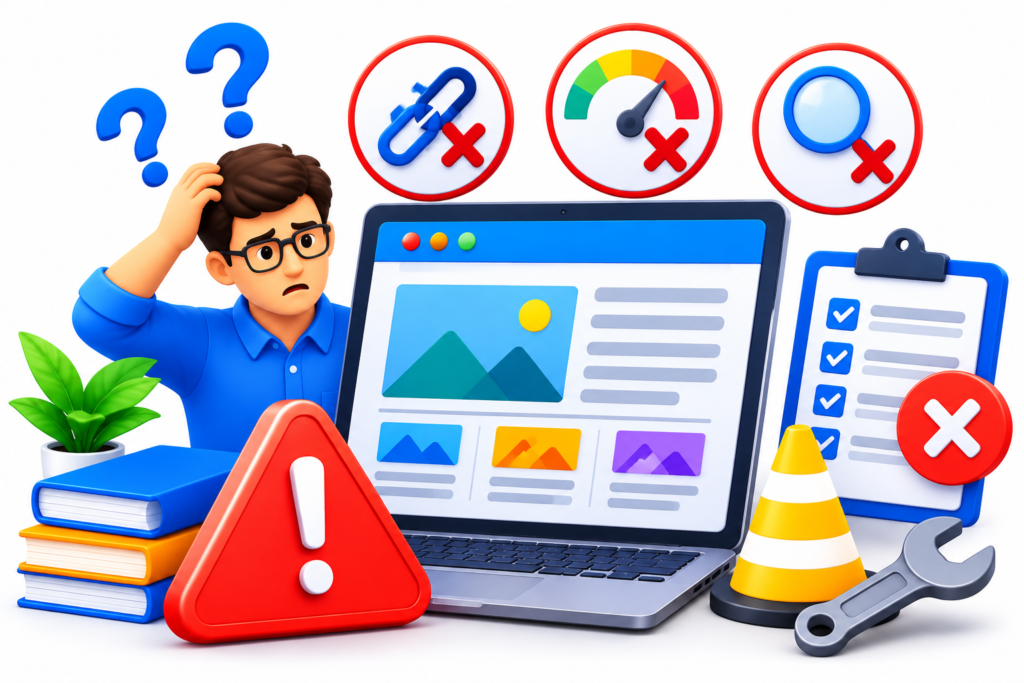
Building an information website involves several decisions that can influence its usefulness, credibility, and long-term performance. Some mistakes occur during initial planning, while others develop as the website grows. Recognising these problems early can prevent wasted resources and help maintain a consistent standard of quality.
1. Choosing an Unfocused Website Niche
One common mistake is attempting to cover too many unrelated subjects on one website. Publishing articles about technology, cooking, business, travel, and fitness without a clear relationship between them can make the platform’s purpose difficult to understand. Visitors may struggle to identify the intended audience, while publishers may find it challenging to maintain consistent expertise. Instead, choose a defined subject area and expand into related topics that naturally support the website’s central purpose.
2. Publishing Content Without Proper Research
Some website owners publish articles based on assumptions rather than investigating the questions visitors actually ask. This can result in irrelevant topics, incomplete explanations, and resources that provide little practical value. Conduct audience research, review relevant questions, examine search intent, and verify important facts before publishing. Each article should address a meaningful information need.
3. Prioritising Keywords Over Readers
Keyword research is useful, but excessive attention to search phrases can make content repetitive and unnatural. Repeating the same keyword throughout every paragraph does not improve the reader’s experience. Search optimisation should support clear explanations, not replace them. Use relevant terminology naturally and focus on answering the question behind each search.
4. Creating Poor Website Navigation
A complicated menu, confusing categories, and disconnected articles can make even excellent content difficult to discover. Visitors should be able to understand the website structure and move between related resources without unnecessary effort. Develop logical categories, descriptive labels, internal links, and appropriate breadcrumb navigation.
5. Ignoring Mobile Responsiveness
A website that works only on desktop computers excludes visitors using smartphones and tablets. Small text, broken layouts, oversized images, and difficult navigation can negatively affect usability. Test pages across different screen sizes and ensure that essential information and functionality remain accessible.
6. Using Unreliable or Outdated Information
Publishing inaccurate information can damage credibility and potentially cause harm, particularly in specialist subjects. Verify important claims using appropriate sources, provide relevant references, and establish a content review schedule. Replace outdated instructions and correct errors when they are identified.
7. Overloading Pages With Advertisements
Excessive advertisements, intrusive pop-ups, and promotional banners can make articles difficult to read. Monetisation should not interfere with the primary purpose of the website. Use a balanced advertising strategy and maintain a clear distinction between editorial content and paid placements.
8. Neglecting Technical SEO and Website Security
Ignoring indexing problems, broken links, insecure software, missing backups, and performance issues can undermine the reliability of an infosite. Conduct regular technical checks, maintain software updates, monitor website availability, and test backup restoration procedures.
9. Publishing Without an Editorial Strategy
Irregular publishing and disconnected article ideas can create an inconsistent content library. Develop a publishing calendar, assign clear responsibilities, establish quality standards, and prioritise topics according to audience value. Consistency should mean maintaining quality and responsibility, not publishing articles simply to meet a numerical target.
10. Failing to Measure Website Performance
Without measurement, it becomes difficult to understand whether content and promotional activities are achieving their intended objectives. Monitor relevant KPIs, review search performance, evaluate visitor engagement, and use the findings to improve the website. Avoid relying on traffic numbers alone when assessing success.
Best Practices Summary for Building a Successful Infosite
Developing a successful information website requires a combination of strategic planning, professional development, high-quality publishing, and ongoing improvement. The following best practices provide a practical framework for maintaining a reliable and valuable platform.
| Area | Recommended best practice |
|---|---|
| Niche selection | Choose a clearly defined subject that matches audience demand and available expertise. |
| Audience research | Understand visitor questions, problems, expectations, and search intent. |
| Content planning | Develop organised categories, topic clusters, and a realistic publishing calendar. |
| Website architecture | Create logical navigation and meaningful relationships between related pages. |
| Website design | Use professional layouts, readable typography, and consistent visual elements. |
| Mobile usability | Ensure that all important content and features work across different screen sizes. |
| Accessibility | Follow recognised accessibility practices and provide understandable navigation. |
| Content quality | Publish original, accurate, comprehensive, and genuinely helpful information. |
| SEO | Use natural keywords, descriptive titles, useful internal links, and technically accessible pages. |
| Technical performance | Monitor loading speed, responsiveness, visual stability, and website availability. |
| Security | Maintain HTTPS, update software, restrict access, and test backups. |
| Monetisation | Choose appropriate revenue models without compromising editorial independence. |
| Content promotion | Distribute relevant resources through suitable digital channels. |
| Audience engagement | Develop newsletters, useful resources, and meaningful communication opportunities. |
| Performance measurement | Monitor relevant KPIs and use reliable analytics information. |
| Content maintenance | Review articles regularly and update information when meaningful changes occur. |
| Long-term growth | Expand according to audience needs, available resources, and measurable opportunities. |
Additional recommendations:
- Prioritise visitors over search engine manipulation.
- Give every article a clear purpose and a defined target audience.
- Use authoritative references when supporting important factual claims.
- Avoid publishing thin, repetitive, or automatically generated pages without meaningful human oversight.
- Make commercial relationships transparent.
- Maintain clear editorial and content review procedures.
- Improve existing resources when doing so provides more value than publishing another similar article.
- Build a recognisable identity through consistent information quality and professional presentation.
A strong infosite is not measured simply by its number of pages or daily visitors. Its real value comes from how effectively it helps people understand subjects, solve problems, and make informed decisions.
Frequently Asked Questions
1. What Is an Infosite and How Does It Work?
An infosite is an information-focused website designed to educate visitors, answer questions, and provide organised resources about particular subjects. It works by publishing articles, guides, tutorials, explanations, reference materials, and other useful information that visitors can discover through search engines, direct visits, and promotional channels. Its content is normally organised into categories so readers can explore related subjects. For example, an infosite about website development might provide information about domain names, hosting, website design, security, and search engine optimisation. Visitors access the resources to understand a subject or solve a problem. Website owners can maintain the platform through a content management system and may generate revenue through suitable advertising, affiliate partnerships, digital products, subscriptions, or professional services.
2. How Do I Start an Information Website From Scratch?
Start by choosing a clear niche and identifying the audience you want to serve. Research the questions people ask, the information they need, and the existing resources available in your chosen subject area. Next, select a suitable domain name, website hosting provider, and content management system. Develop a logical website structure containing a homepage, relevant categories, essential information pages, and individual articles. Create an editorial plan that identifies priority topics and establishes content quality standards. Design a professional, mobile-friendly website and implement appropriate security and SEO practices. Before launching, test navigation, forms, page layouts, website performance, and important links. Once the platform is available, publish useful resources, promote them through suitable channels, and review performance regularly.
3. Which Platform Is Best for Building an Infosite?
The best platform depends on the website’s size, publishing requirements, technical complexity, and available resources. WordPress is a popular option because it provides flexible content management, extensive themes, and a large extension ecosystem. It can support small informational websites as well as substantial publishing platforms. Drupal may be appropriate for more complex projects requiring advanced content structures and permissions. Hosted website builders can simplify administration for people who prefer managed solutions, while custom development may be justified for specialised requirements. Before choosing a platform, evaluate usability, security, performance, scalability, maintenance requirements, support, and total ownership costs. A platform should make it easier to publish and maintain high-quality information rather than introduce unnecessary technical complexity.
4. How Can an Infosite Generate Revenue?
An information website can generate revenue through several business models, depending on its subject and audience. Display advertising can provide income from relevant website traffic, while affiliate marketing can generate commissions from suitable product or service recommendations. Publishers may also sell digital resources, downloadable templates, online courses, educational materials, or premium subscriptions. Specialist information websites can develop sponsorship opportunities or generate enquiries for related professional services. Some platforms combine several revenue channels to reduce dependence on one source. However, monetisation should never compromise content quality or visitor trust. Commercial relationships must be disclosed appropriately, and recommendations should be relevant to the audience. Sustainable revenue generally develops when a website provides valuable information and attracts visitors with genuine interest in its subject.
5. How Long Does It Take for an Infosite to Attract Organic Traffic?
There is no guaranteed timeline for an information website to attract meaningful organic traffic. Results depend on factors such as niche competition, content quality, technical accessibility, website reputation, search demand, and the usefulness of individual pages. A new website may need considerable time to establish visibility and demonstrate the value of its content. Some pages may attract search impressions relatively early, while competitive subjects can take much longer to develop meaningful rankings. Focus on publishing genuinely useful information, maintaining technical quality, improving internal linking, and addressing audience questions. Use Google Search Console to monitor impressions, clicks, indexing, and search queries. Avoid promises of guaranteed rankings or specific traffic results because search performance is influenced by many changing factors.
6. Is SEO Important for an Information Website?
Yes. SEO helps search engines discover, understand, and index information websites, making useful resources easier for people to find. It includes keyword research, search intent analysis, descriptive titles, meaningful headings, internal links, accessible page structures, and technical optimisation. However, SEO should not be treated as a substitute for content quality. An article needs to provide a useful answer rather than simply contain frequently searched phrases. Technical elements such as mobile usability, secure connections, crawlability, and website performance also support the overall experience. Monitoring tools can help identify indexing issues and opportunities for improvement. A sustainable SEO strategy combines useful information, clear organisation, responsible optimisation, and regular maintenance.
7. How Often Should I Publish and Update Infosite Content?
Publishing frequency should depend on available resources, subject requirements, and the level of research needed to maintain quality. A realistic schedule of carefully researched articles is generally more useful than publishing large quantities of superficial material. Some websites may publish weekly, while others may need longer intervals because their subjects require specialist research or technical verification. Updating frequency also depends on how quickly information changes. Articles about software, technology, product features, and regulations may need more frequent reviews than general educational explanations. Establish a review schedule, check important references, correct outdated instructions, and update content when there is a meaningful improvement to make. Prioritise accuracy and usefulness over arbitrary publishing targets.
8. What Makes an Infosite Successful in the Long Term?
Long-term success depends on maintaining a clear purpose, serving a defined audience, publishing reliable information, and providing a positive user experience. Successful platforms generally have well-organised content, accessible navigation, professional design, strong technical foundations, and consistent editorial standards. They also adapt to changing audience needs and developments within their subject areas. Measuring performance helps website owners understand which resources are useful and where improvements are necessary. Building trust through transparency, accurate information, suitable references, and responsible monetisation is equally important. An infosite should be treated as an ongoing digital publishing project rather than a website that can be abandoned after its initial launch. Consistent maintenance and meaningful improvements help preserve its value over time.
Conclusion
Information websites provide an important opportunity to educate audiences, share specialist knowledge, establish online authority, and develop sustainable digital platforms. Whether the objective is to build an educational resource, create a specialist publication, support a business, or develop a content-based revenue stream, an infosite needs a clear purpose and a well-planned development strategy. Its success depends on understanding the intended audience, choosing an appropriate niche, conducting meaningful research, and organising information into a structure that visitors can navigate comfortably. Professional website design, mobile responsiveness, accessibility, and reliable technology provide the foundation for a positive browsing experience, while effective SEO helps make valuable resources more discoverable.
Content quality should remain the central priority throughout the website’s development. Articles must provide accurate explanations, relevant examples, useful instructions, and appropriate supporting references. A carefully planned content strategy helps prevent duplication and ensures that individual resources contribute to a coherent knowledge platform. Technical optimisation, security, website performance, and regular maintenance are equally important because visitors expect information websites to remain accessible and dependable. Monetisation can create opportunities for revenue through advertising, affiliate relationships, digital products, subscriptions, and professional services, but commercial activities should always support rather than undermine audience trust. Performance measurement and content reviews allow publishers to identify weaknesses, improve existing resources, and respond to changing visitor requirements.
At Monthly Website Design, we recognise that a successful information website requires more than attractive pages and published articles. It needs a carefully developed combination of strategy, website architecture, content planning, professional design, technical SEO, and ongoing optimisation. Every element should work towards making information easier to discover, understand, and use. Whether you are planning a new infosite or improving an existing platform, investing in the right foundations can help create a website with lasting practical value. Focus on serving your audience, maintaining high editorial standards, and making improvements based on real performance information. With a clear strategy and consistent attention to quality, an information website can become a valuable digital resource that supports visitors and creates opportunities for sustainable online growth.
Want to Implement This Easily?
AI Implementation Prompt
You are an expert consultant. Based on the blog post titled “(Infosites)”, provide a step-by-step, practical implementation guide. Include tools, best practices, common mistakes to avoid, and advanced tips. Assume the reader wants to implement everything discussed in this article effectively.
Call to Action
Want our help implementing this? Just reach out to us via our website contact form: